Try Demo Login
Level 2

Edit employee details

Update employee payroll details without accidentally changing inherited pay-group behaviour or invalidating future payroll review.

Who can do this
Payroll edit access
Last verified
2026-06-06
Steps
4
Product area
Payroll
Before you start

Prepare these items.

  • Know the corrected detail.
  • Understand whether the change affects current or future pay runs.
Important details

Understand the fields before changing them.

What to check before saving

  • Changing tax profile, bank details, super, leave rates, pay items, or overrides can change future payslips.
  • Switching between pay group, override, and fully custom setup changes which fields drive calculation.
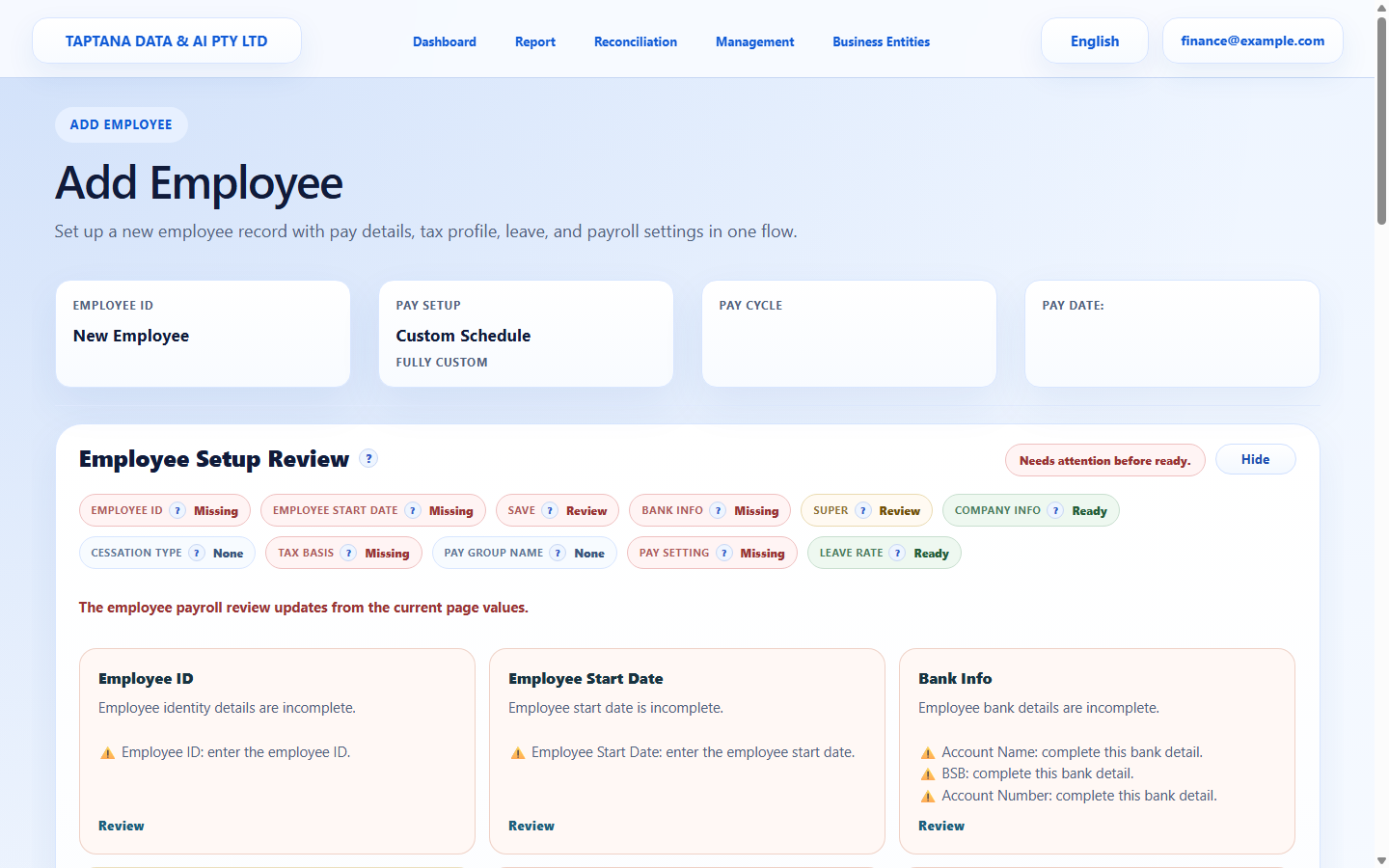
  • Review card warnings should be resolved before creating or approving payslips.
Manager relationship

  • Manager mapping controls scoped leave review for reporting-chain employees.
  • Manager access does not automatically expose other employees' payslips.
  • After changing manager relationships, check leave approval visibility before relying on it.
Steps

Follow the workflow.

  1. 1

    Find employee

    Open Employees and search/select the employee.

    Expected result The employee page opens.

    Find employee screenshot Find employee
    Click target: Find employee
  2. 2

    Open the affected section

    Use the section tabs/cards for identity, tax, bank, super, pay setup, or leave.

    Expected result The correct section is visible.

    Open the affected section screenshot Employee sections
    Click target: Employee sections
  3. 3

    Change the value

    Update only the field supported by the new evidence. For bank or super changes, double-check every digit.

    Expected result Review card shows the field as complete.

    Change the value screenshot Editable fields
    Click target: Editable fields
  4. 4

    Save and reopen

    Save and reopen the employee to confirm the updated value persisted.

    Expected result The updated detail is displayed.

    Save and reopen screenshot Save employee
    Click target: Save employee
Final checks

Confirm before you finish.

  • Changed field is saved.
  • Review warnings are resolved or understood.
  • Affected payroll is reviewed before approval.
If something goes wrong

Recover without losing control.

  • If a value is wrong after saving, edit it before creating/approving payslips.
  • If save is blocked, complete required fields named by review.
Related scenarios