Try Demo Login
Level 2

Create a payroll employee

Create an employee record with identity, employment, tax, bank, super, pay template, leave, and review-card readiness before creating payslips.

Who can do this
Payroll edit access
Last verified
2026-06-06
Steps
4
Product area
Payroll
Before you start

Prepare these items.

  • A pay group exists.
  • Employee onboarding details are available.
  • Use dummy employee, bank, TFN, and super data in training.
Important details

Understand the fields before changing them.

Identity and employment

  • Employee ID should be unique and stable. Do not recycle it for another employee.
  • Name, date of birth, address, postcode, state, start date, employment basis, and cessation details are used by payroll review and STP readiness.
  • Email links the employee to self-service access when the user logs in with the same email.

Tax, bank, and super

  • TFN or approved TFN exemption, tax residency, tax-free threshold, withholding basis, and STP selections affect PAYG/STP validation.
  • Bank account details must be complete before payment processing or payroll review can be trusted.
  • Super fund details and overrides must be reviewed before approving payslips.

Pay setup and leave

  • Pay Group Template means the employee inherits shared defaults.
  • Pay-group override means only selected fields override the group; review active override flags carefully.
  • Fully custom means the employee does not inherit pay-group values and every required payroll field must be maintained on the employee.
  • Leave accrual and taken leave settings must be checked before leave affects payslip calculations.
Steps

Follow the workflow.

  1. 1

    Start the employee record

    Open Payroll Employees and choose Add Employee. Enter identity fields first: Employee ID, name, date of birth, email, address, state, postcode, and start date.

    • Use dummy people for training.
    • Email must match the login email for self-service mapping.

    Expected result The employee has enough identity data for payroll review.

    Start the employee record screenshot Identity fields
    Click target: Identity fields
  2. 2

    Complete employment and tax profile

    Fill employment basis, tax residency, TFN or exemption, tax-free threshold, STP category fields, and any final-pay/cessation fields if applicable.

    • Do not leave cessation fields half-complete.
    • Tax selections affect withholding and STP validation.

    Expected result Review card stops flagging required tax and employment fields.

    Complete employment and tax profile screenshot Employment and tax
    Click target: Employment and tax
  3. 3

    Enter bank and super details

    Complete employee bank account details and super fund or super override settings. Review bank/super warnings before saving.

    • Bank details should be dummy in training.
    • Super override rows should be used only when standard fund/defaults are not enough.

    Expected result Bank and super sections are ready for payroll use.

    Enter bank and super details screenshot Bank and super
    Click target: Bank and super
  4. 4

    Choose pay setup and leave defaults

    Assign a pay group, choose whether the employee inherits, overrides, or uses fully custom setup, then check active override flags, working hours, pay items, and leave rates.

    • If many employees need the same change, update the pay group; if only this employee differs, use an employee override.
    • Right-click row actions may be available for pay-item, super override, and working-hour rows.

    Expected result The payroll review card shows the employee is ready or identifies precise fields to fix.
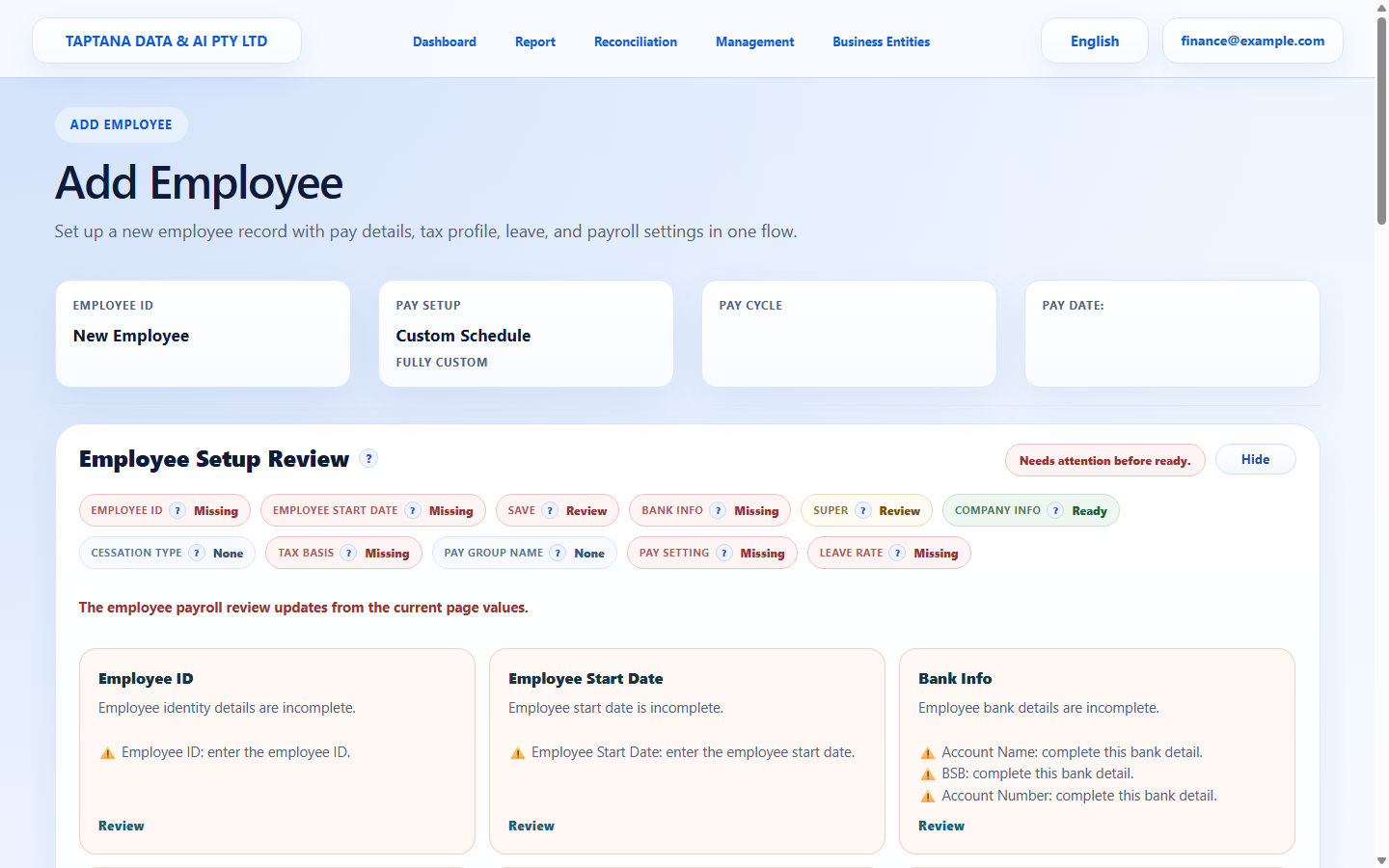
    Choose pay setup and leave defaults screenshot Pay setup
    Click target: Pay setup
Final checks

Confirm before you finish.

  • Required identity, tax, bank, super, and pay fields are complete.
  • Only dummy sensitive details are used in training.
  • Employee can be selected for payslip preparation.
If something goes wrong

Recover without losing control.

  • Use Review cards to jump to missing sections.
  • If deferred data does not load, refresh and reopen the employee.
Related scenarios