Level 2
Create a product or service
Set up reusable invoice line items with account and tax defaults.
- Who can do this
- Product edit access
- Last verified
- 2026-06-06
- Steps
- 4
- Product area
- Invoicing
Prepare these items.
- Know product/service name, unit price, account, and tax treatment.
Follow the workflow.
-
1
Open Product
Open Business Entities, then Product.
Expected result Product page is available.
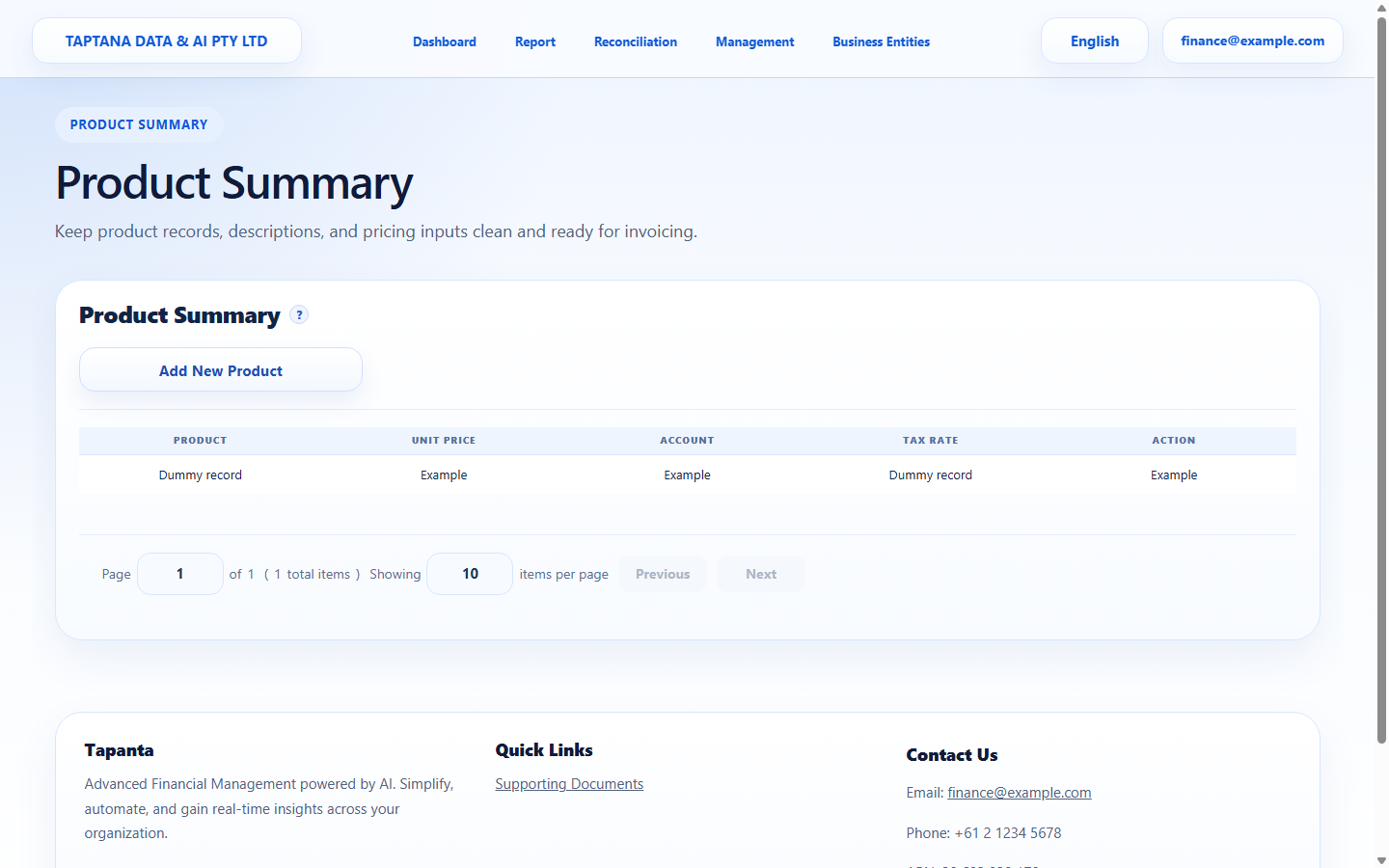 Business Entities
Click target: Business Entities -
2
Add product
Choose Add Product and enter product name, description, unit price, account, and tax defaults.
Expected result Required fields are complete.
Add Product
Click target: Add Product -
3
Save product
Save the product and check it appears in the product list.
Expected result The product appears in the table.
Save Product
Click target: Save Product -
4
Use in invoice line
Start or edit an invoice and select the product in a line item.
Expected result Price, account, and tax defaults help populate the line.
Product line
Click target: Product line
Confirm before you finish.
- Product can be selected on invoices.
- Unit price and tax defaults are correct.
- Account default matches reporting needs.
Recover without losing control.
- If the wrong account is used, edit the product before new invoices.
- If an invoice already used the old default, review the invoice line manually.