Set up company profile and verify ABN
Enter the legal company profile, run ABR lookup, and confirm the returned active entity before the team starts work.
- Who can do this
- Company owner
- Last verified
- 2026-06-06
- Steps
- 4
- Product area
- Company
Prepare these items.
- Use TAPTANA DATA & AI PTY LTD, ABN 38 682 829 170, and 2155 NSW for the sample walkthrough.
- Have company email, phone, street address, state, and postcode ready.
- Skip email verification for now; that walkthrough is deferred.
Follow the workflow.
-
1
Open Company settings
Use the company selector in the top bar, choose Edit, then choose Manage Company Info for the company card you want to update.
Expected result The company detail form opens for the selected company.
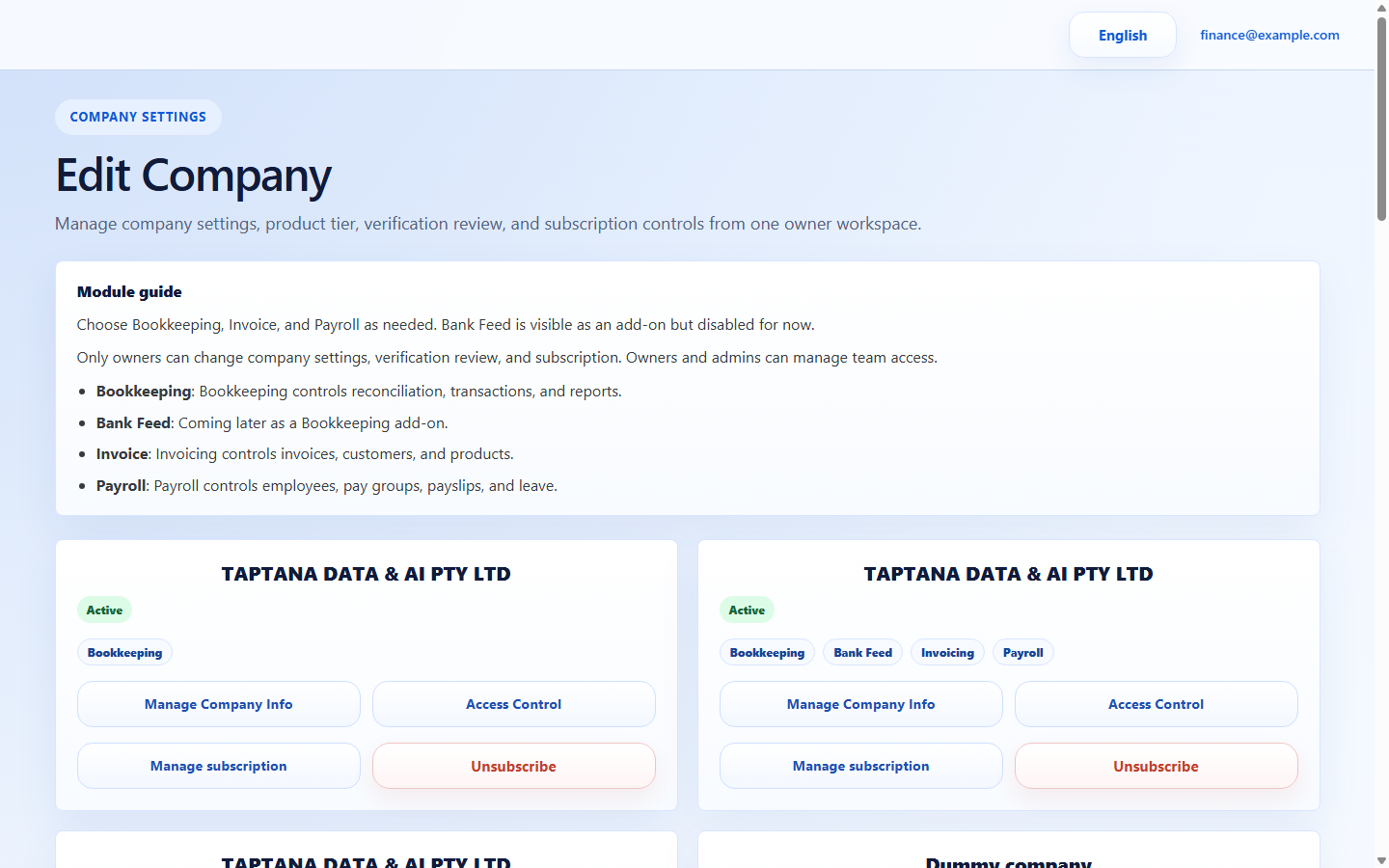 Manage Company Info
Click target: Manage Company Info -
2
Enter legal details
Fill company name, email, phone, ABN, address, state, and postcode. Keep operational sample records dummy, but use the real Taptana ABN for ABR lookup.
Expected result The form has no blank required company identity fields.
Company detail fields
Click target: Company detail fields -
3
Run ABR lookup
Use the ABN lookup control and confirm the returned entity name, active status, and postcode before saving.
Expected result ABR result shows an active entity matching TAPTANA DATA & AI PTY LTD.
ABR result area
Click target: ABR result area -
4
Save and reopen
Save the company profile, return to Company settings, and reopen the same company card to confirm the saved values are still present.
Expected result The company card and detail form show the latest values.
Save action
Click target: Save action
Confirm before you finish.
- ABN result is Active.
- Entity name, ABN, and postcode match the intended company.
- Email verification is not required for this walkthrough.
Recover without losing control.
- If ABR lookup fails, remove spaces from the ABN and try again.
- If Save is disabled, complete the missing required field shown by the form.